Private build · Steam

ARC Raiders Cheats – extraction markers with setup — Arc Cheats

ARC Raiders cheats — extraction markers and guides

ARC Raiders cheats for Steam PC: aimbot, ESP, and raid overlays with clean menus and patch-aware updates.

Active

Patch focus

24/7

Setup help

ARC Raiders

Core scope

Secure

Checkout

ESP Active
Loot filters
Steam build
Patch aware
Aim tuning
Combat mode
ARC markers
Extraction cues
Skeleton ESP
Distance caps
World ESP
24/7 support
Portal delivery
Readability first
Filter stacks
Bone select
Build notes
Auto updates
Windows 10 & 11
Steam · ARC Raiders
Operator portal
Patch-tracked builds
Configurable profiles
Email & ticket support
Hardware docs in portal
Risk disclosure up front
ESP Active
Loot filters
Steam build
Patch aware
Aim tuning
Combat mode
ARC markers
Extraction cues
Skeleton ESP
Distance caps
World ESP
24/7 support
Portal delivery
Readability first
Filter stacks
Bone select
Build notes
Auto updates
Windows 10 & 11
Steam · ARC Raiders
Operator portal
Patch-tracked builds
Configurable profiles
Email & ticket support
Hardware docs in portal
Risk disclosure up front

Below-hero landing sections

Overlay feature categories

Features

Everything you need for ARC Raiders

Aimbot, player and world ESP, loot filters, extraction markers, and misc tools — grouped the way the software is organized.

Aimbot

Steam-only aim suite.

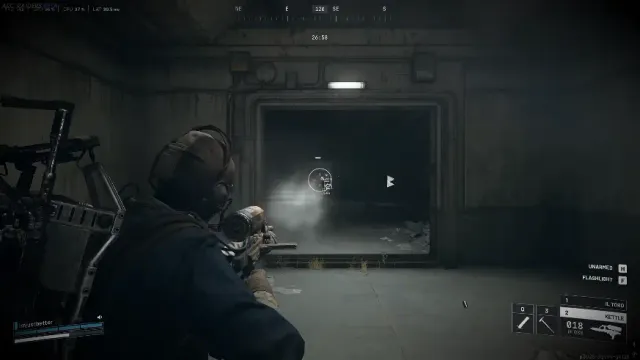
Enable aim assistance with FOV, smooth, speed, and stickiness, plus filters, bone selection, visible check, drawn FOV, and target line so you can read what the module is doing mid-fight.

  • Steam-only build path with tunable FOV and smoothing
  • Stickiness, speed, and filter options for different ranges
  • Visible check, bone selection, draw FOV, and target line
Player visuals

ESP and wallhack-style readouts.

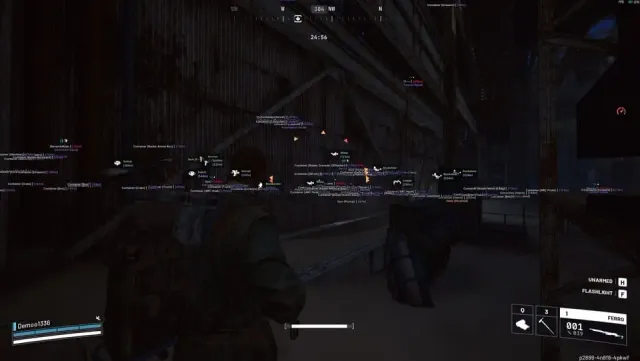
Box, head circle, skeleton, view direction, weapon and level, distance, name, squad name, health and shield bars, OOF arrows, and max distance caps so raids stay readable.

  • Box, skeleton, head circle, view direction
  • Name, squad, weapon, level, health and shield
  • OOF arrows and distance limits

ARC & world

Threats, loot, and routes.

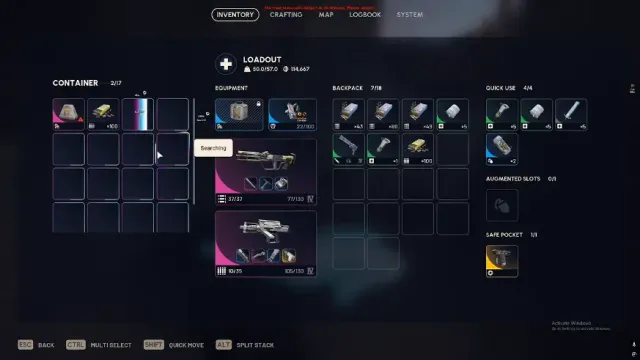
ARC icons, threat level, corpses, field crate, salvage, containers, loot with rarity and type filters, custom container and loot selection, and max distance for world clutter control.

  • ARC icons, threat, and corpse markers
  • Containers, salvage, field crate
  • Loot filters by rarity and type

Extraction

Find the way out.

Extraction point markers and icons with distance limits pair with your player and world layers so rotations stay obvious under pressure.

  • Extraction icons and point overlays
  • Distance caps for extraction cues
  • Works alongside combat mode

Misc & quality of life

Comfort without a new UI.

FOV changer, camera zoom, long-distance revive and consumable helpers, flashlight brightness and color, full bright, custom crosshair, custom font size, and combat mode to hide world ESP when you only want combat overlays.

  • FOV, zoom, crosshair, and font controls
  • Flashlight brightness, color, and full bright
  • Combat mode hides world ESP for focused fights

Steam PC checks

Before you raid

Confirm Windows build, Steam ARC Raiders install, and portal status before you enable overlays — expectations can shift after patches.

  • Verify Steam ARC Raiders launches
  • Read portal status notes
  • Pause if maintenance is posted

Operator delivery

Portal-first workflow.

Access runs through the operator portal with updates tied to ARC Raiders builds — read status before you queue a session.

  • Portal download and changelog
  • Support channel for setup issues
  • Back up your profile before major patches

Readability

Less noise, more signal.

Tune distance per category, use combat mode when overlays feel busy, and enable filters so loot lists match what you actually pick up.

  • Per-category max distance
  • Loot rarity and type filters
  • Combat mode for PvP-heavy stretches

Carousel software listings

Products

ARC Raiders Cheats

ARC Raiders cheats for Steam PC — feature overview, secure checkout, and patch-day guides on arc-cheats--org.tazeenrooziroti.workers.dev.

Provider comparison overview

Why us

Patch-aware tooling for ARC Raiders on Steam

We keep arc-cheats--org.tazeenrooziroti.workers.dev focused on ARC Raiders for Steam PC, clear feature lists, and honest limitations.

  • ARC Raiders pages

    ARC Raiders has its own product copy, FAQs, and guides — written for this Steam PC build only.

    ARC Cheats
    Typical listing sites
  • Grouped features

    Aimbot, player ESP, world ARC markers, loot, extraction, and misc mirror how the menu is structured.

    ARC Cheats
    Typical listing sites
  • Checkout privacy

    Commercial CTAs use internal /go/ paths so your browser bar stays on arc-cheats--org.tazeenrooziroti.workers.dev until redirect.

    ARC Cheats
    Typical listing sites
  • Support scope

    Questions go through the paths listed on the Support page — include your order email and Windows build.

    ARC Cheats
    Typical listing sites
  • Risk clarity

    Third-party tools can conflict with updates and policies. We state limitations up front.

    ARC Cheats
    Typical listing sites
  • No fake forums

    Forum threads collect setup lessons and ESP tuning habits from ARC Raiders cheats operators on Steam PC.

    ARC Cheats
    Typical listing sites

1

Primary build

ARC Raiders for Steam PC is the flagship product page.

24/7

Support window

Operators list coverage on the Support page — include detail when you open a ticket.

Steam

Platform

Windows 10/11 with ARC Raiders from Steam — confirm portal status before you queue.

Setup guide

From checkout to first tuned session

Follow the portal flow: secure access, download the current build, enable features gradually, then verify in a safe session before pushing harder settings.

  1. Complete access

  2. Install and verify

  3. Layer features

How it works

From checkout to saved profile

Purchase, install, layer features, then store a profile you can reload after patches.

Four steps

  1. 01

    Read compatibility

    Confirm Steam PC, Windows build, and current ARC Raiders portal status before checkout.

  2. 02

    Get access

    Use the secure checkout path, save your order email, and open the operator portal.

  3. 03

    Launch once clean

    Install the build, verify the game launches, then enable overlays in small steps.

  4. 04

    Save profiles

    Store conservative and aggressive profiles so you can swap after patches or loot routes.

Blog

Guides and updates

Setup, aimbot tuning, ESP layout, loot filters, and patch-day notes for ARC Raiders on Steam PC.

ARC Raiders cheats setup: portal download to first stable raid

Portal-first ARC Raiders cheats setup on Steam PC—download hygiene, overlay order, and a calm first session before you stack aimbot or ESP.

ARC Raiders aimbot guide: FOV, smooth, stickiness, and filters

ARC Raiders aimbot settings explained—FOV cone, smooth, stickiness, bone pick, visible check, and filters without generic shooter jargon.

Player ESP for ARC Raiders: a readable box-and-tag stack

Build player ESP for ARC Raiders cheats—distance caps, box vs skeleton, squad tags, and off-screen arrows without HUD clutter.

FAQ

Questions about this page

Answers tied to what you are reading — visit the FAQ page for every topic.